Skip to content
VentureLore Brand Logo
VentureLore

AI automation that takes manual work out of your operations

From lead intake and invoice processing to reporting and customer follow-ups, we map the workflow, automate the repeatable steps and add AI only where it improves the result.

What this helps you achieve

  • Faster response times

    Automations react to events immediately instead of waiting for someone to check.

  • Fewer manual errors

    Validated, structured data moves between systems without retyping.

  • Time back for your team

    Repetitive steps run in the background so people focus on work that needs judgement.

  • Visibility and control

    Every run is logged, with alerts and approval steps for sensitive actions.

About this service

What is AI Automation?

AI automation connects the software your business already uses and lets it do the routine work on its own: copying data between systems, sorting incoming requests, reading documents, sending follow-ups and building reports.

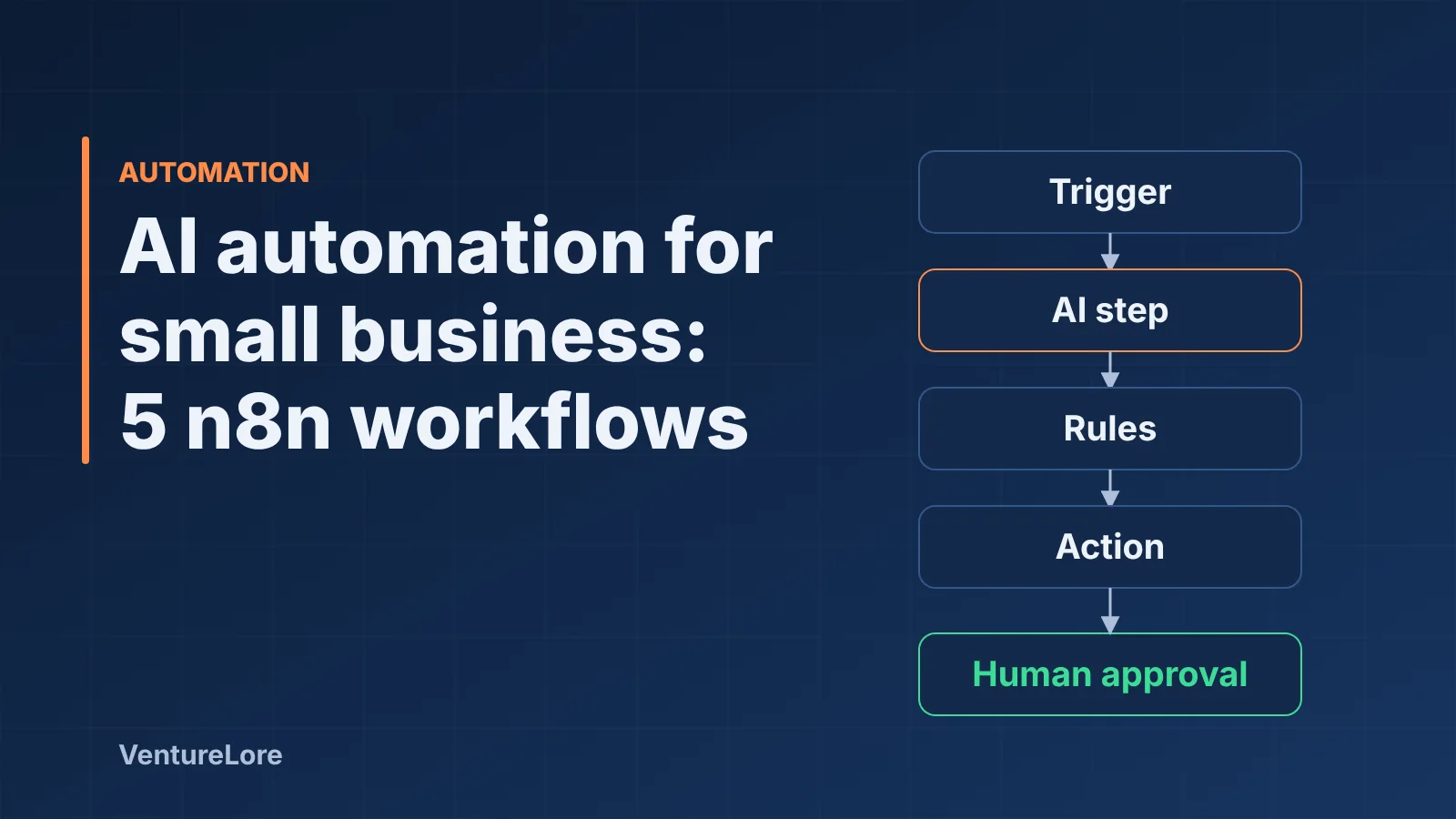
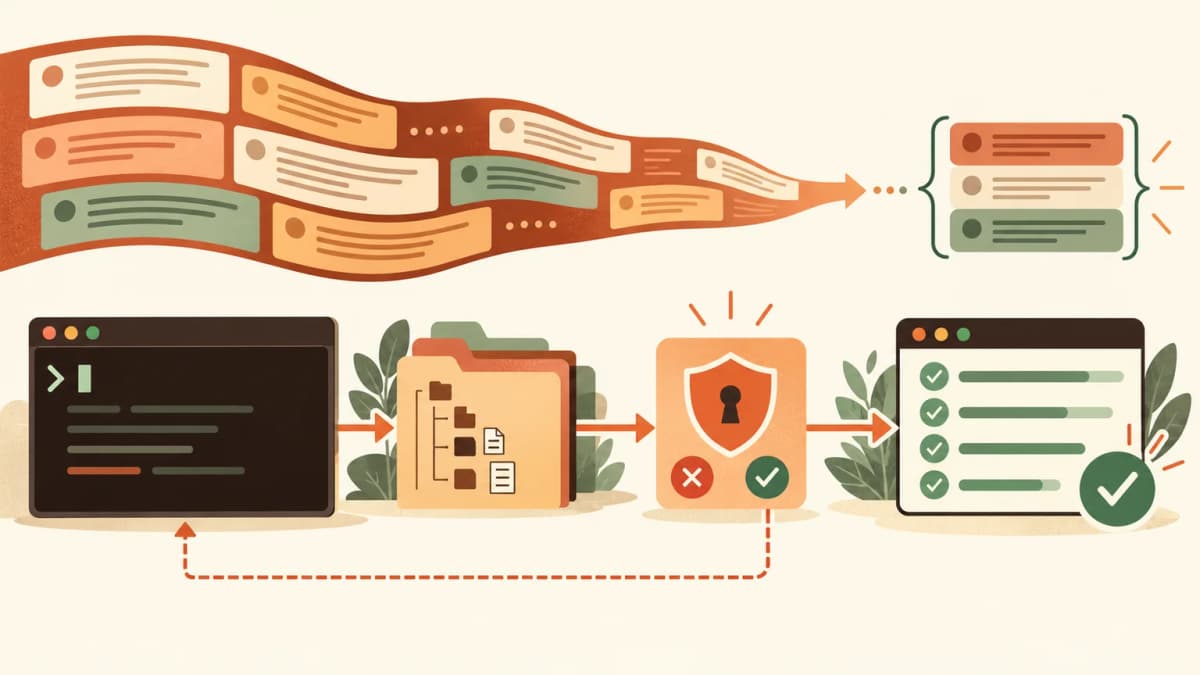
We start with a normal, reliable workflow: a trigger, some rules and the right integrations. Then we add AI only at the steps that need judgement, such as reading an unstructured email, extracting fields from an invoice or drafting a reply. Every run is logged, risky steps wait for a person to approve them, and failures raise an alert instead of disappearing.
  1. 1.Trigger

    A form, email, schedule or webhook starts the workflow.

  2. 2.Collect & clean

    Data is validated and enriched.

  3. 3.AI step

    A model classifies, extracts or drafts where judgement is needed.

  4. 4.Rules & approval

    Business rules decide; risky actions wait for a person.

  5. 5.Update systems

    CRM, accounting, calendar and messaging tools are updated.

  6. 6.Log & alert

    Every run is recorded and failures raise an alert.

Illustration: a typical automation flow. Your workflow is mapped to your own tools and rules.

Does this sound familiar?

Problems this solves

Teams re-typing data between tools

Copying details between your CRM, inbox, spreadsheets and accounting software is slow and error-prone.

Work waits for someone to notice it

Leads, requests and approvals sit unanswered because nothing triggers the next step.

Documents and emails pile up

Invoices, forms and enquiries arrive unstructured and need a person to read, sort and route them.

Reporting takes days

Numbers live in different systems and are stitched together by hand every week.

What's included

Capabilities

Workflow mapping & audit

We document how work really flows today and rank automation candidates by effort and impact.

System integrations

Connect CRMs, email, calendars, forms, databases, accounting and messaging tools via APIs and webhooks.

AI document & email processing

Extract fields from invoices and forms, classify requests and draft replies for review.

Human-in-the-loop approvals

Route low-confidence or high-risk steps to a person before anything is sent or changed.

Monitoring & error handling

Run logs, retries and alerts so failures are visible and recoverable.

Documentation & handover

Clear documentation so your team understands and can maintain what we build.

How it works

How a AI Automation project runs

  1. Step 1: Discover

    A focused call to understand your goals, tools, constraints and what success looks like.

  2. Step 2: Design

    We scope the solution, agree priorities and share a written plan before any build starts.

  3. Step 3: Build

    We build in small, testable increments, starting with the workflow that pays back fastest.

  4. Step 4: Launch & improve

    We deploy, monitor real usage, document the system and iterate based on what we learn.

Business benefits

What you gain

Hours returned to your team

Repetitive copy, sort and check tasks run in the background, so people spend time on customers and decisions.

Fewer mistakes

Data is validated and moves between systems without being retyped.

Faster response

Leads, requests and approvals are handled the moment they arrive, not when someone next checks.

Clear visibility

Run logs and alerts show what happened, when and why.

Keeps your current tools

We connect to what you already use instead of forcing a platform change.

Practical examples

How this looks in a real business

Illustrative scenarios that show how we approach typical problems. They are examples, not descriptions of specific clients or guaranteed results.

Enquiry to qualified lead

Situation
Enquiries arrive through a web form, email and LinkedIn. Someone copies them into a spreadsheet and decides who to call first.
Approach
A workflow captures every enquiry, enriches the company details, uses a language model to summarise the need, scores it against your criteria and creates a CRM record with an owner and a follow-up task.
What changes
Every enquiry is recorded in one place and routed the same day, with the reasoning visible to the salesperson.

Invoice intake

Situation
Supplier invoices arrive as PDFs by email and are typed into accounting software by hand.
Approach
The workflow reads each PDF, extracts supplier, date, line items and totals, checks them against purchase orders and posts a draft bill. Anything with low confidence goes to a person for review.
What changes
Routine invoices need no typing, and unusual ones are flagged instead of slipping through.

Weekly reporting

Situation
A manager spends part of every Monday collecting numbers from several tools.
Approach
Scheduled jobs pull the data through each tool's API, calculate the agreed metrics and publish a consistent report by email or dashboard.
What changes
The same report appears on time every week, built from the same definitions.

Tools & technologies

What we build with

We choose tools to fit your systems and team. Links go to each tool's official documentation.

Use cases

Common starting points

Examples of where businesses typically begin. Your best first project depends on your workflow.

Lead intake & qualification

Capture enquiries from forms and email, enrich them, score them and route to the right person.

Invoice & document processing

Read documents, extract the fields you need and post them to your accounting or database.

Support triage

Classify incoming requests, suggest answers and escalate urgent cases.

Sales follow-up

Trigger timely, personalised follow-ups and keep your CRM updated automatically.

Automated reporting

Pull data from multiple tools into scheduled, consistent reports.

Client onboarding

Collect details, create accounts and tasks, and send the right documents without manual steps.

FAQ

AI Automation: common questions

What can be automated with AI?

Any repeatable task with a clear pattern is a candidate: moving data between systems, sorting and routing emails, extracting information from documents, drafting routine replies, scheduling and reporting. During discovery we rank candidates by effort and impact so you start where the payback is fastest.

Do I need to replace my existing tools?

No. We connect to the tools you already use through their APIs and integrations. We only recommend replacing a tool when it genuinely blocks the workflow.

How do you keep AI automations reliable?

We use deterministic steps wherever possible and AI only where it adds value, validate outputs, log every run and add human approval for sensitive actions. Failures raise alerts instead of failing silently.

How long does a project take?

A focused single-workflow automation is typically measured in weeks; larger multi-system projects take longer. After a discovery call you receive a written scope and timeline before committing.

How is my data protected?

We use least-privilege access, keep credentials in secure environment stores and can work inside your existing cloud accounts. For sensitive data we agree hosting region and data-handling requirements up front.

Learn more

Related reading from our blog

Tell us which workflow is costing you the most time

Book a consultation and we'll help you work out scope, approach and a sensible first step.

Explore other services