
AI Automation for Small Businesses in 2026: 5 Practical Workflows Using n8n, AI Agents and APIs
Five illustrative n8n workflows for small businesses, from lead triage to weekly reporting, with architecture, implementation steps, security limits and licensing notes.
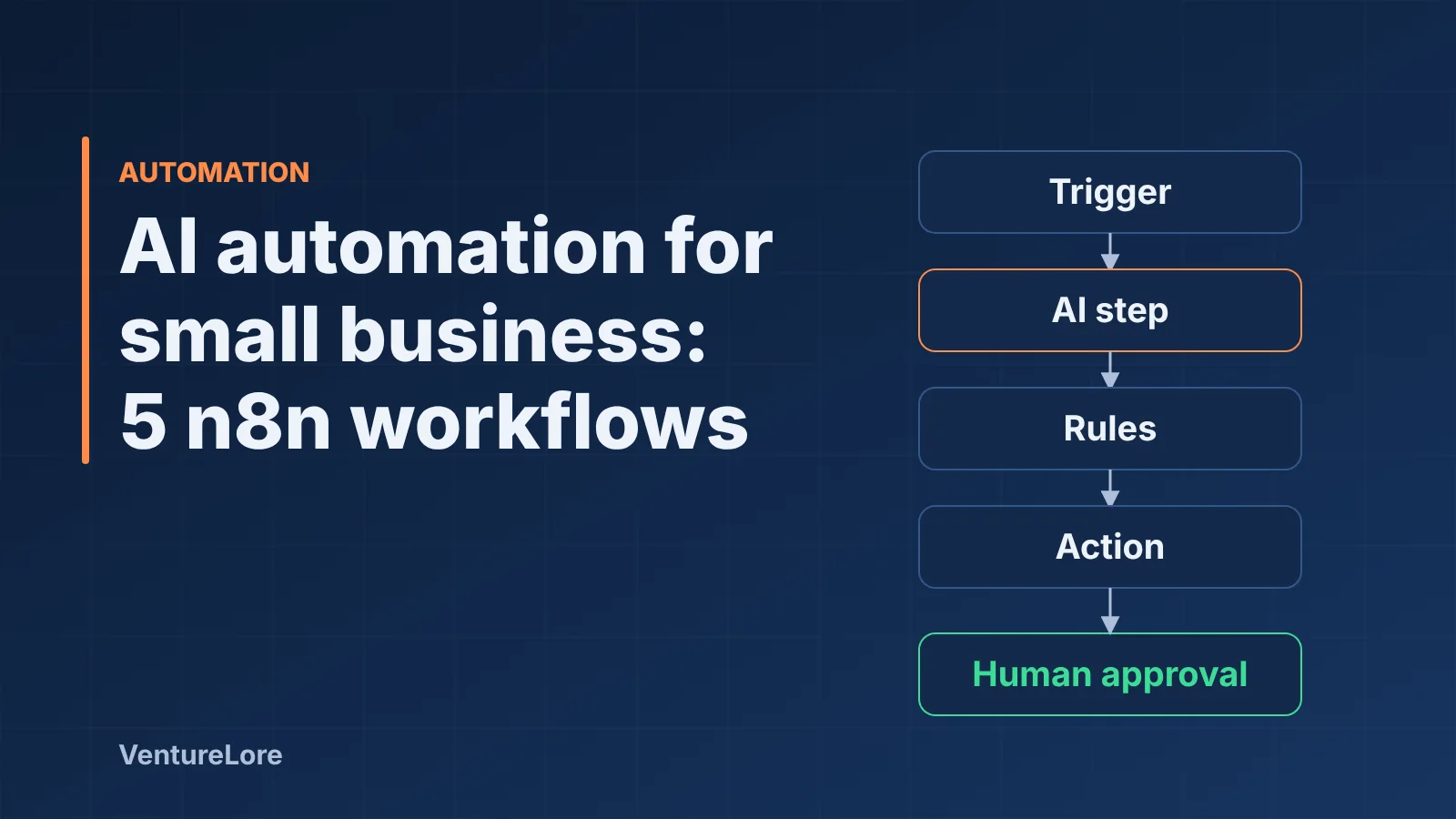
Start with the essentials
Most small businesses do not need an "AI strategy". They need fewer hours lost to copying data between tools, chasing inbound enquiries and sorting repetitive messages. This guide walks through five practical automation workflows you can build with n8n, an LLM API and the business tools you already use, and it is honest about where each one can go wrong.
A note on the examples. The five workflows below are illustrative designs, not case studies. They are not results from named clients, and no time-saving or revenue figures are claimed. Treat them as patterns to adapt and test against your own data.
Workflow, agent or plain script? Decide first
Anthropic's guidance on building effective agents separates two things. Workflows run LLMs and tools through predefined code paths. Agents let the model decide its own steps and tool use. The same article recommends using the simplest solution that works, because agentic systems usually trade higher latency and cost for flexibility, and autonomy can compound errors.
For a small business that translates into a simple rule: if you can write the steps down in advance, build a fixed workflow and use the LLM only for the fuzzy step (classifying, extracting, drafting). Reach for an agent only when the path genuinely cannot be known in advance. If you want the longer comparison, read our guide to AI agents vs chatbots.
The reference architecture
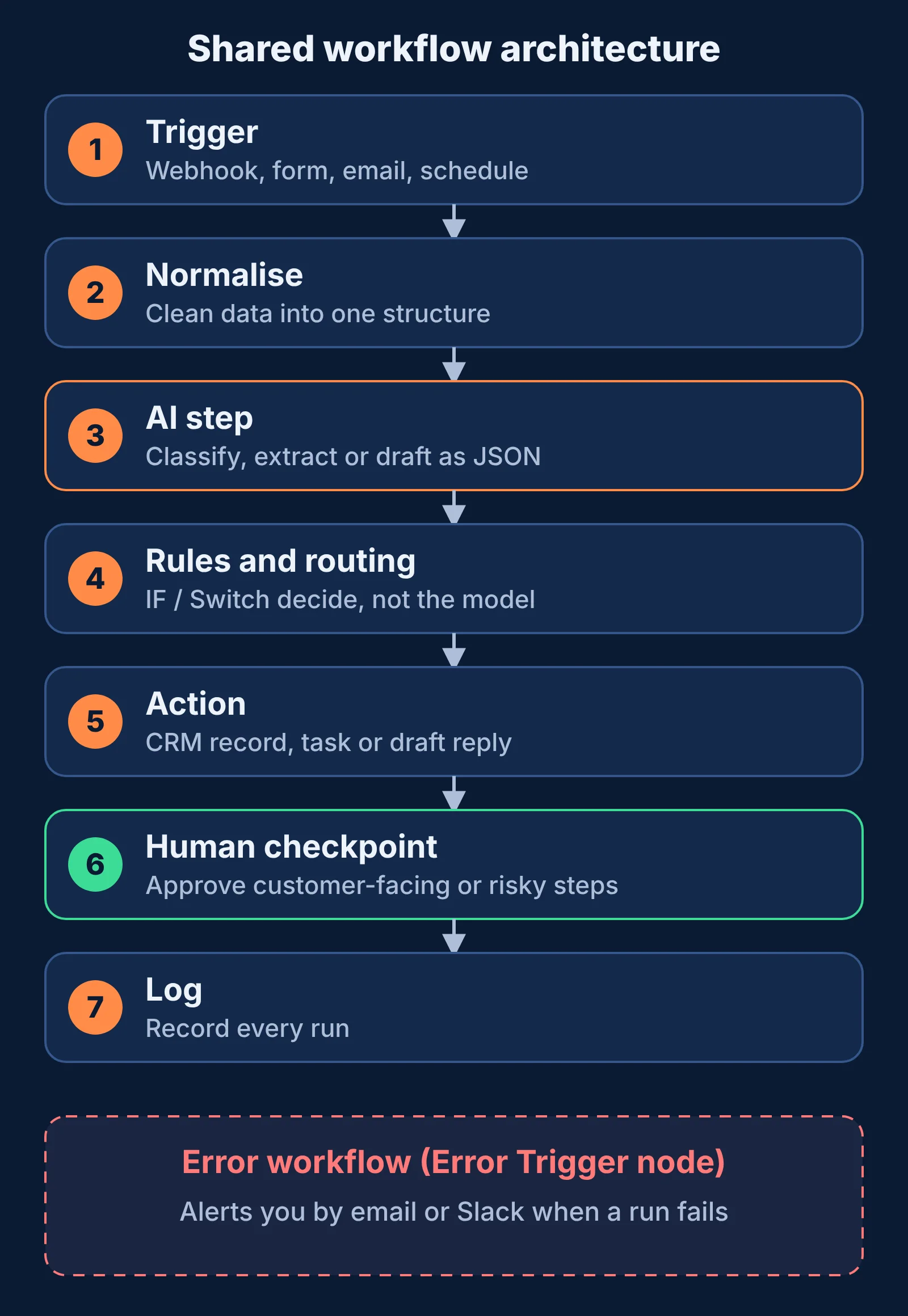
All five workflows share the same shape:
- Trigger: a webhook, a form submission, a new email, a schedule or a row added to a sheet.
- Normalise: clean the incoming data into a consistent structure.
- AI step: one LLM call to classify, extract or draft, ideally returning structured JSON that you validate.
- Rules and routing: plain IF/Switch logic decides what happens next, not the model.
- Action: write to the CRM, create the task, send the draft for approval.
- Human checkpoint: anything customer-facing, financial or hard to undo waits for a person.
- Error handling and logging: failures alert someone instead of disappearing.
Keeping the model inside one step, and keeping decisions in explicit rules, makes the system easier to test and cheaper to run.
Five practical workflows (illustrative designs)
1. Inbound lead triage and CRM entry
Problem: website enquiries arrive as unstructured text and someone has to read, categorise and log each one.
Flow: Form webhook, then an LLM step that extracts company, need, urgency and budget range (only if the person stated it), then a rule that checks for missing fields, then create or update the CRM record and notify the owner in Slack or email. Drafting a reply is optional and should be sent for approval, not sent automatically.
Tools: n8n webhook, an LLM API, your CRM node or HTTP Request node, Slack or email.
Limits: the model can misread vague enquiries. Keep the original message attached to the record and let staff correct fields.
2. Invoice and document data extraction
Problem: supplier invoices or forms arrive as PDFs and the data is retyped into accounting software.
Flow: Email or folder trigger, then text extraction, then an LLM step that returns fields as JSON, then validation (totals add up, required fields present, dates parse), then write to a review sheet. Only rows that pass validation go forward, and a person approves before anything is posted to the accounts.
Tools: n8n email or storage trigger, an extraction node or OCR service, an LLM API, a spreadsheet or accounting API.
Limits: scanned or unusual layouts fail more often, and a wrong number in accounting is costly. Validation and human review are not optional here.
3. Support inbox triage and suggested replies
Problem: a shared inbox mixes order questions, complaints and spam.
Flow: New email, then classify (category, urgency, sentiment), then route to the right person or label. For common questions, retrieve the relevant help-centre text and draft a suggested reply for an agent to edit and send. This is the point where a retrieval-based assistant becomes useful, because answers are grounded in your own documents rather than the model's memory.
Tools: n8n email trigger, an LLM API, a knowledge base or vector store, your helpdesk.
Limits: do not let the model promise refunds, delivery dates or policy exceptions. Keep it to drafts.
4. Meeting notes to tasks
Problem: action items from calls live in someone's notes and are forgotten.
Flow: A transcript arrives from your meeting tool, an LLM step extracts decisions and action items with owner and due date when stated, then tasks are created in your project tool and a summary is posted for the team to confirm.
Tools: a transcript source, n8n, an LLM API, your task manager.
Limits: models invent owners or dates when the transcript is unclear. Instruct the step to leave unknowns blank, and ask attendees to confirm.
5. Weekly reporting from several systems
Problem: someone exports numbers from several tools each week and writes the same summary.
Flow: Schedule trigger, then API calls to pull data from your sources, then calculations done in code or spreadsheet nodes (not by the model), then an LLM step that writes a short plain-language summary of the already-computed figures, then post to Slack or email for review.
Tools: n8n schedule trigger, HTTP Request or app nodes, a code node, an LLM API. This is a good place for API integrations work when a tool has no ready-made node.
Limits: never ask the model to do the arithmetic. Compute first, then have it describe the numbers.
Implementation steps that apply to every workflow
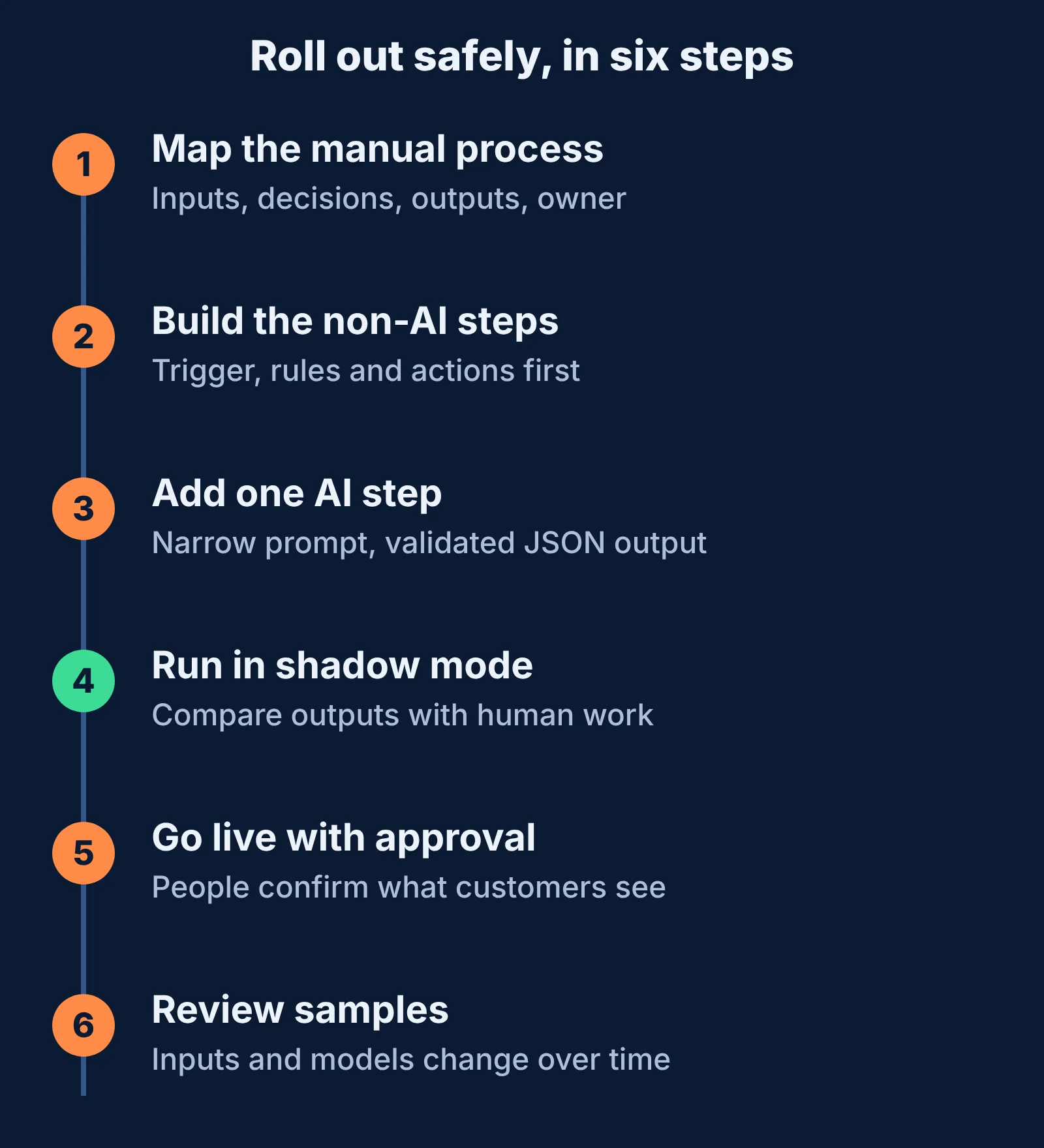
- Map the manual process on paper: inputs, decisions, outputs, who owns each step.
- Automate the boring 80% first and leave exceptions to humans.
- Build the trigger and the non-AI steps and test with realistic sample data before adding the model.
- Add one LLM step with a narrow prompt and a required JSON output, then validate that output in the workflow.
- Add the approval step for anything customer-facing or irreversible.
- Add error handling (see below) and a log of every run.
- Run it in shadow mode first: let it produce outputs that people compare against their own work before it takes any action.
- Review samples regularly after launch, because inputs and models change.
Make failures visible
According to the n8n documentation on handling errors, you can set an error workflow in a workflow's settings. It runs when an execution fails and must begin with the Error Trigger node. One error workflow can serve several workflows, and a common use is sending an email or Slack alert. The Error Trigger passes details such as the workflow name, the last node executed and the error message. A Stop and Error node lets you force a failure when your own checks fail, for example when extracted invoice totals do not match.
Security and limitations to plan for
- Prompt injection. Text from emails, web pages and documents can contain instructions aimed at your model. The OWASP Top 10 for LLM Applications lists prompt injection and excessive agency among its risks. Give workflows the minimum permissions they need, and keep sensitive actions behind approval.
- Accuracy. LLM output can be wrong or inconsistent. Validate structured output and keep humans in the loop for consequential decisions.
- Data protection. Check what personal or client data you send to an external model API and whether your contracts and privacy notice allow it. This article is not legal advice.
- Cost and latency. Each model call adds delay and usage cost. Check your provider's current pricing before estimating a budget.
- Maintenance. APIs change, credentials expire and prompts drift. Someone has to own the workflow after launch.
- Agents add risk. Anthropic notes autonomy can compound errors and recommends extensive testing with guardrails. Start with fixed workflows.
n8n licensing: read this before you build for others
n8n's license FAQ says the Community edition under the Sustainable Use License covers self-hosted use and is free for internal business use, where only people in your organisation create or modify workflows. It does not allow hosting n8n as a service where your clients build workflows, and it says that building and maintaining workflows for clients is permitted as long as clients receive outputs rather than access to the workflow editor. Terms can change and edge cases exist, so confirm your own situation with n8n directly.
When to bring in help
Many of these workflows are a weekend project for a technical owner. Get help when the process touches money, customer data or several systems with no ready-made connectors, or when an agent needs to take actions on its own. VentureLore builds this kind of work: see AI automation, AI agent development, API integrations and custom business systems, or get in touch to talk through your process.
Sources
Continue reading
More from this topic

AI Agents vs Chatbots in 2026: What Is the Difference?
Learn how AI agents differ from chatbots, when tool use helps, how to test an agent, and which permissions and safety checks to apply before using one.
Claude Code Guide 2026: Setup, Pricing, Context, and Token Usage
Learn Claude Code setup, model choices, context management, subscription versus API billing, token costs, and practical ways to reduce usage safely.
Cursor AI Guide 2026: Pricing, Models, Context, and Token Usage
Understand Cursor plans, model context windows, token-based usage, Agent workflows, privacy controls, and how to estimate the cost of real coding tasks.