
Windows 10 ESU Extended to October 2027: How to Enroll
Microsoft extended consumer Windows 10 security updates to 12 October 2027. See who qualifies, the three ways to enroll (free or $30), and what to do with the extra year.
Start with the essentials
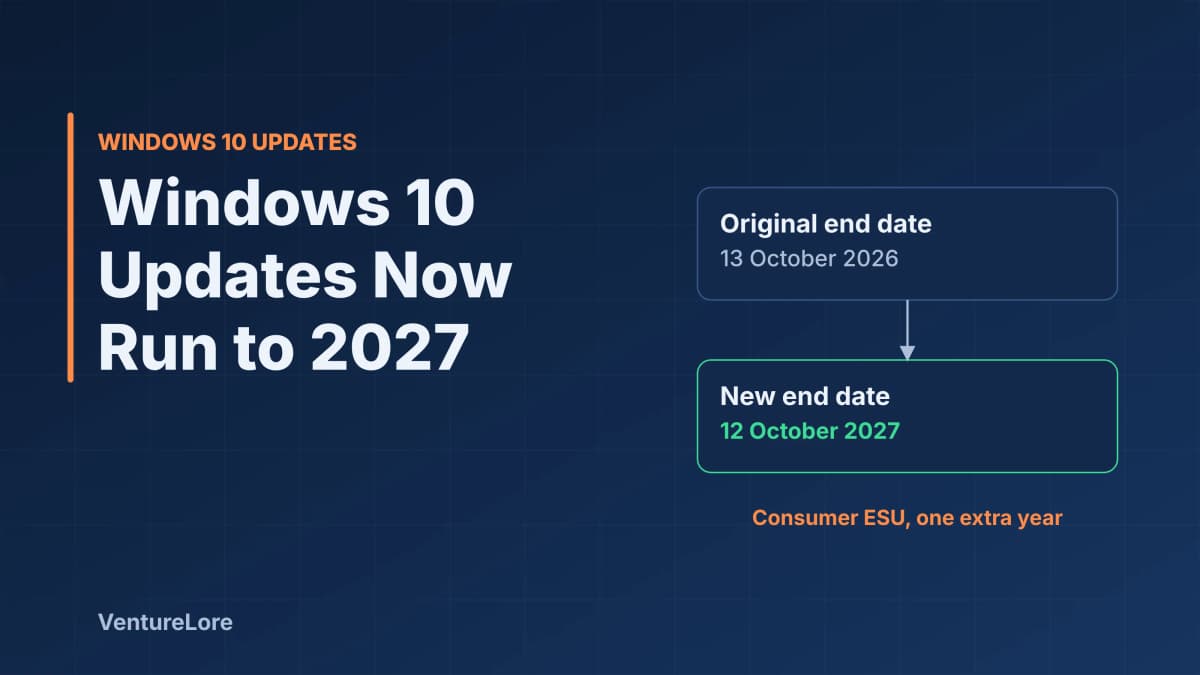
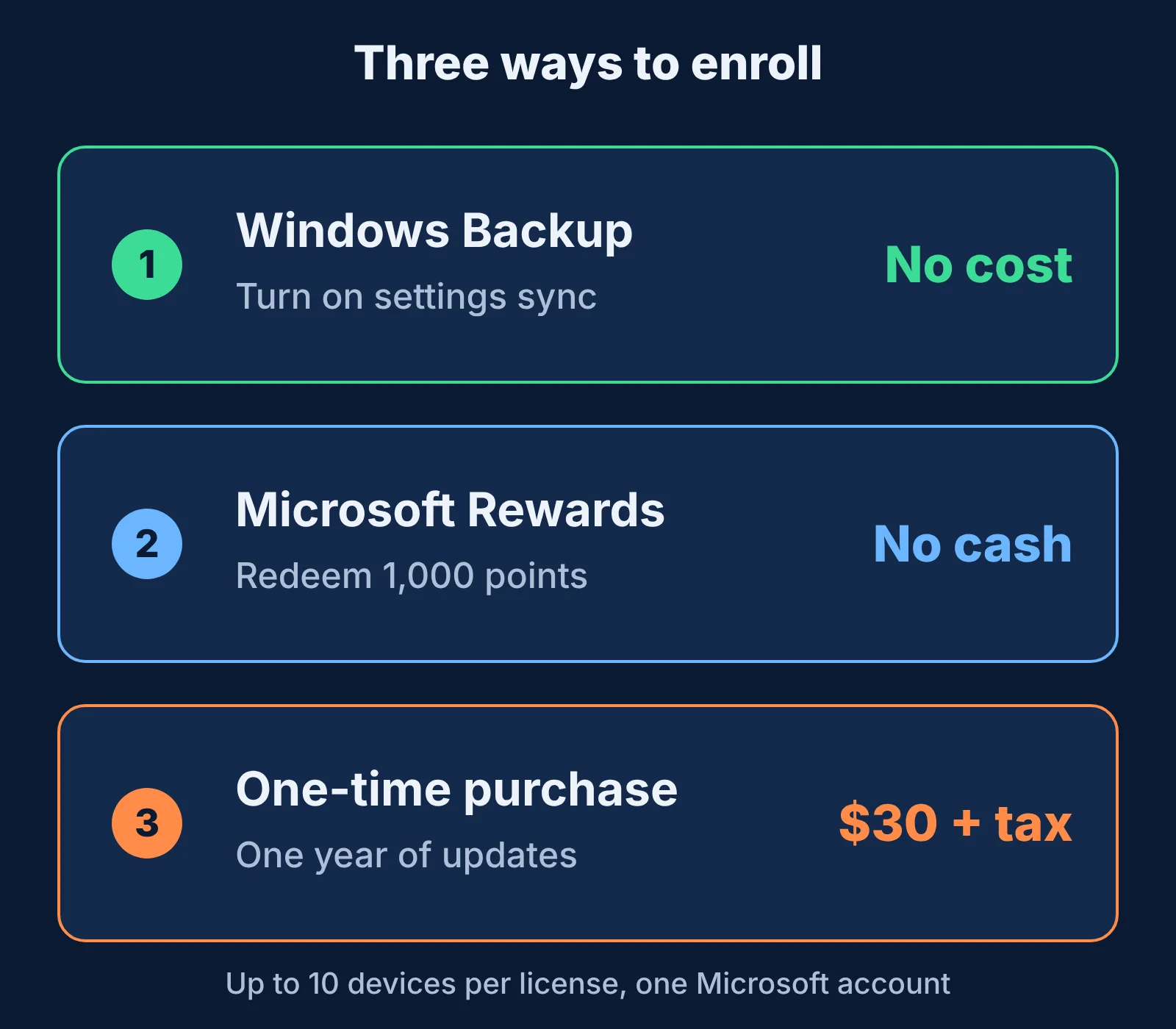
Quick answer: Microsoft has extended the consumer Extended Security Updates (ESU) program for Windows 10 by one year, from 13 October 2026 to 12 October 2027. You can enroll for free by turning on Windows Backup settings sync, by redeeming 1,000 Microsoft Rewards points, or by paying a one-time $30 plus tax. If you are already enrolled, you do not need to do anything.
What changed
Technology press reported in late June 2026 that Microsoft had changed its ESU information page without a formal announcement. Help Net Security reports the end date moved from 13 October 2026 to 12 October 2027, and that the change also appears as an editor's note on a Windows Experience Blog post. TechRadar describes it as the first time Microsoft has offered extended support to individual consumers rather than only to businesses.
Who can enroll
According to Help Net Security, your PC must meet all of these conditions:
- It runs Windows 10 version 22H2 in the Home, Professional, Pro Education or Workstations edition.
- The latest Windows updates are installed.
- You sign in with an administrator Microsoft account, which becomes linked to the ESU license. If you use a local account, Windows prompts you to switch.
- Child accounts are not eligible.
One ESU license can be used on up to 10 devices after you enroll, according to the same report. You can enroll at any point until the program ends.
How to enroll
- Install all pending updates and confirm you are on version 22H2 (Settings, System, About).
- Open Settings, then Windows Update, and look for the extended security updates enrollment prompt.
- Sign in with your Microsoft account when asked.
- Choose how to pay: enable Windows Backup to sync PC settings, redeem 1,000 Microsoft Rewards points, or buy the one-year license for $30 plus applicable taxes.
Pureinfotech notes that already-enrolled devices continue automatically through the new date at no extra cost. The exact menu wording can differ between Windows builds, so follow what Windows Update shows on your PC.
What ESU does and does not give you
ESU delivers critical and important security fixes only. It does not add features or system improvements, according to Pureinfotech. It buys time; it is not a long-term plan. After 12 October 2027 the updates stop, and the PC will be exposed to any new vulnerability.
What to do with the extra year
- Check Windows 11 eligibility. Microsoft's published minimum requirements include a compatible 64-bit processor, 4 GB of RAM, 64 GB of storage, UEFI with Secure Boot and TPM 2.0. The PC Health Check app reports whether your device qualifies.
- Back up first. Whatever you decide, keep a copy of your files off the machine before a major upgrade.
- Plan the replacement. If the PC cannot run Windows 11, use the year to budget for a replacement rather than waiting for the deadline.
- Keep the browser and apps updated. ESU covers Windows only, so update the apps you use to reach the internet separately.
Frequently asked questions
When does Windows 10 ESU end now?
On 12 October 2027 for consumers, according to the reports above. The original date was 13 October 2026.
Is Windows 10 ESU free?
It can be. Turning on Windows Backup settings sync or redeeming 1,000 Microsoft Rewards points costs no money. Otherwise the license is a one-time $30 plus tax.
Do I need to re-enroll if I already joined?
No. Existing enrollees are covered automatically through the new end date.
Does ESU add new features?
No. It provides security fixes only.
Can I use one license for several PCs?
Yes, up to 10 devices linked to the same Microsoft account, according to Help Net Security.
Sources
- Help Net Security: Microsoft gives Windows 10 users an unexpected extra year of free security updates
- TechRadar: Microsoft extends Windows 10 support out of the blue
- Pureinfotech: Microsoft extends Windows 10 ESU through October 2027
- Microsoft: Extended Security Updates for Windows 10 (check this page for the current official terms)
Explore related topics
Continue reading
More from this topic

Cybersecurity Essentials for Remote Workers: Protecting Sensitive Data Outside the Office
Working from home or cafes exposes your data to vulnerabilities standard office firewalls protect against. Here are the non-negotiable security habits every remote professional must adopt.
Windows 11 Running Slow? 7 Fixes From Microsoft's Own Guide
Windows 11 running slow? Follow Microsoft's own steps in a safe order: updates, malware scan, free disk space, startup apps, power mode and restart.

Chrome Using Too Much RAM? 6 Fixes That Work
Chrome using too much memory? Find the tab or extension responsible with Task Manager, then fix it with Memory Saver, extension cleanup and updates.