
PHP2Shell: How to Check Your PHP Version and Patch (WordPress, Docker, Linux)
Two critical PHP flaws (CVE-2026-109618 and CVE-2026-109619) were patched on 21 October 2026. Here is how to check your PHP version, which release you need, and how to patch.
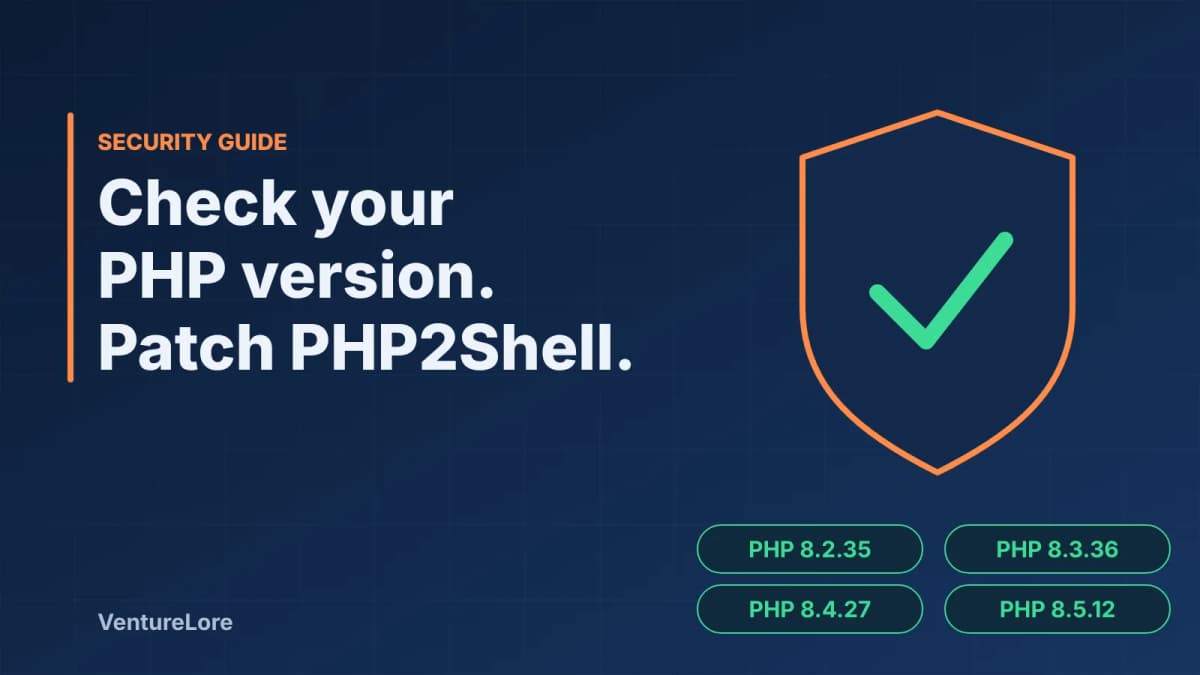
Start with the essentials
On 21 October 2026 the PHP project shipped fixes for two critical remote code execution flaws, CVE-2026-109618 and CVE-2026-109619, nicknamed "PHP2Shell". Because the flaws sit in the PHP engine itself, a site can be exposed even when its own code, plugins or theme are clean. This guide shows how to find out which PHP version you run, which version you need, and how to patch on the most common setups. Facts below were last checked on 28 October 2026 and exploitation details may change, so confirm against the sources at the end.
What PHP2Shell is, in short
- Two flaws, CVE-2026-109618 and CVE-2026-109619, each rated 9.2 (critical) on CVSS v4.0, allow remote code execution in PHP.
- Fixed releases were published on 21 October 2026.
- Applications that run on PHP, including WordPress, Drupal and Joomla, may be exposed through the engine even if the application itself is secure.
- Security firm Recorded Future reports exploitation incidents from hosting partners and early attacks, but says public evidence does not show how widespread successful compromise is. Public proof-of-concept code is circulating with varying effectiveness.
This article deliberately does not describe how the flaws work or how to exploit them. It is about checking and patching.
Which PHP versions fix it
| PHP branch | Fixed in |
|---|---|
| 8.2 | 8.2.35 |
| 8.3 | 8.3.36 |
| 8.4 | 8.4.27 |
| 8.5 | 8.5.12 |
Older, unsupported branches are not covered by these fixes and should not be assumed safe. If you are on an end-of-life branch, the real fix is to upgrade to a supported one or obtain vendor-maintained patches.
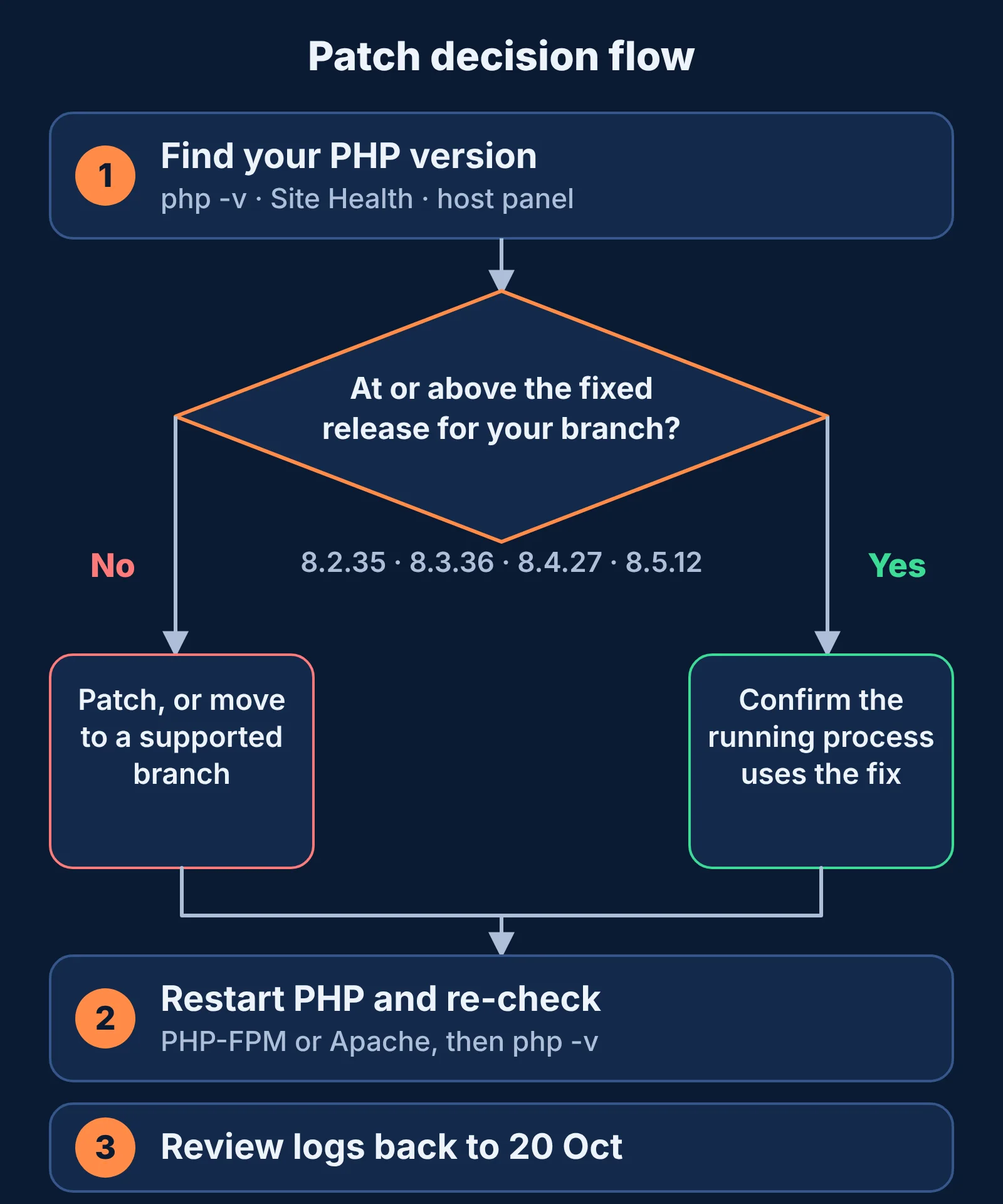
Step 1: Find out which PHP version you run
On a server or in a terminal
php -v
php -r 'echo PHP_VERSION, PHP_EOL;'
Note that the command line and your web server can use different PHP builds (for example PHP-FPM versus the CLI). Check the one that serves your site.
In WordPress
Open Tools, then Site Health, then the Info tab, then Server in the admin area. The PHP version is listed there.
On shared hosting
Look in your host's control panel for a PHP version selector (in cPanel this is typically called MultiPHP Manager). If you cannot find it, ask your host directly which PHP build your account uses and whether the PHP2Shell fixes are applied.
In Docker
docker run --rm your-image:tag php -vCheck both your base image tag and when it was last rebuilt. A tag that was pulled before 21 October may still contain the vulnerable build.
Step 2: Understand what the version number does and does not tell you
Recorded Future notes that scans based on version strings miss much of the exposed surface. Two practical consequences:
- Some Linux distributions backport security fixes into their own packages without changing the upstream version number. A "lower" version number does not automatically mean you are vulnerable, and a matching one does not prove you are fixed. Check your distribution's or host's security advisory for these CVE numbers.
- PHP can be bundled inside third-party applications, containers and managed services. Inventory those as well, not just the main web server.
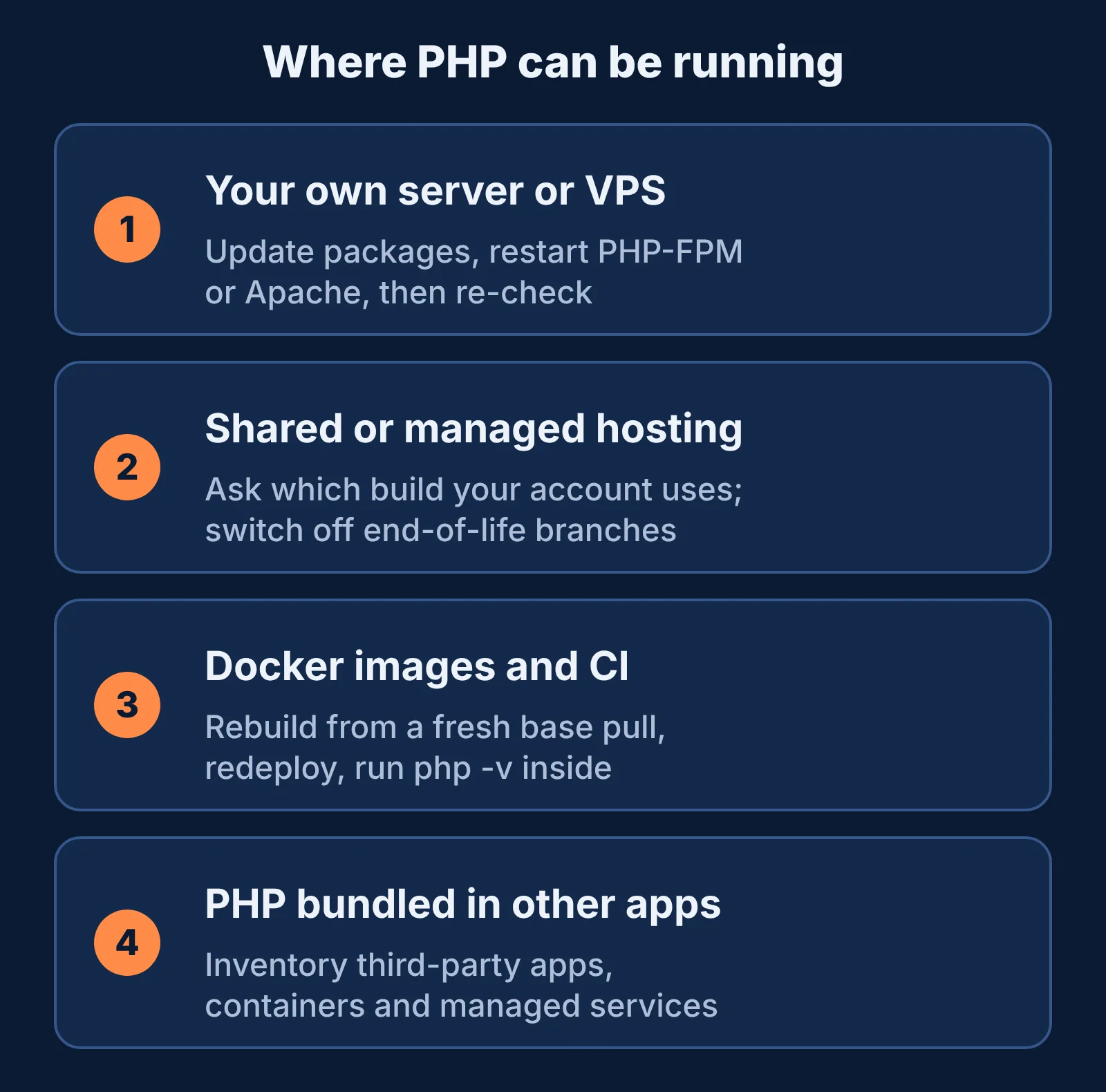
Step 3: Patch
Linux server with a package manager
Update PHP packages using your distribution's normal security update process, restart PHP-FPM or Apache so the new binary is loaded, then re-check the version. If you use a third-party repository for PHP builds, confirm that it has published the fixed release.
Managed or shared hosting
Your host usually controls the PHP build. Ask for written confirmation that the fixed version is deployed. If your account is pinned to an older PHP branch, switch it to a supported branch in the control panel and test your site.
Docker
- Update the base image tag to a release at or above the fixed version for your branch.
- Rebuild with a fresh pull of the base image rather than a cached layer.
- Redeploy and run the version check inside the running container.
Before and after upgrading a branch
Moving from an end-of-life branch to a supported one can break plugins, themes and older code. Take a backup, test on a staging copy if you can, and check your plugin and theme compatibility notes first.
If you cannot patch today
Recorded Future lists interim measures, and stresses that they are not substitutes for patching:
- Restrict external access to the affected systems.
- Apply WAF and request filtering. Cloudflare has deployed WAF protections against known exploit vectors.
- Harden PHP configuration.
- Prevent direct access to origin servers so traffic cannot bypass your filtering layer.
Check whether you were already hit
- Review web server, application and endpoint logs for anomalous HTTP requests, PHP process crashes or errors, and unexpected command execution.
- Extend the review window back to 20 October 2026 or earlier, because exploitation may have started before the official patch.
- If you suspect compromise, start incident response and rotate potentially exposed credentials: passwords, tokens, API keys and certificates.
Frequently asked questions
Is my WordPress site affected?
If your site runs on an unpatched PHP build, it can be. The flaws are in PHP itself, so WordPress being fully updated does not remove the risk. Update the PHP runtime.
What PHP version should I be on right now?
At least 8.2.35, 8.3.36, 8.4.27 or 8.5.12, depending on your branch, or a vendor build that explicitly includes the fixes.
Does a WAF fix this?
A WAF can reduce risk for known attack patterns while you patch, but it is an interim measure, not a replacement for updating PHP.
My host says they handle PHP. Do I need to do anything?
Verify rather than assume. Ask which PHP build your account uses and whether the fixes for CVE-2026-109618 and CVE-2026-109619 are applied.
Are non-PHP sites affected?
Not by these CVEs directly. For example, the software company AEB reported that only its PHP-based websites needed patching and that its cloud solutions, which are not PHP-based, were not affected.
Sources
- Recorded Future (Insikt Group), PHP2Shell exploitation analysis: CVE IDs, scores, fixed versions, exploitation status, mitigation and detection guidance
- AEB, PHP vulnerabilities quickly patched on October 21: warning date and the CVE numbers
- PHP.net news archive 2026: the project's own announcements
Continue reading
More from this topic

Cybersecurity Essentials for Remote Workers: Protecting Sensitive Data Outside the Office
Working from home or cafes exposes your data to vulnerabilities standard office firewalls protect against. Here are the non-negotiable security habits every remote professional must adopt.
Windows 11 Running Slow? 7 Fixes From Microsoft's Own Guide
Windows 11 running slow? Follow Microsoft's own steps in a safe order: updates, malware scan, free disk space, startup apps, power mode and restart.
Chrome Using Too Much RAM? 6 Fixes That Work
Chrome using too much memory? Find the tab or extension responsible with Task Manager, then fix it with Memory Saver, extension cleanup and updates.