OpenAI Codex is a coding agent that can investigate repositories, edit files, run commands, review changes, and carry work across local, IDE, cloud, and automated workflows. Codex usage can be included in an eligible ChatGPT plan or billed through APIs, depending on how you access it.
This guide was checked against official OpenAI documentation on October 21, 2026. Product models, allowances, and API prices change, so confirm the linked sources for your account before making a purchasing decision.
Where you can use Codex
- Codex app: interactive work with repositories, tools, files, and longer tasks.
- IDE integrations: work beside code in supported editors.
- Codex CLI: inspect and modify a local repository from the terminal.
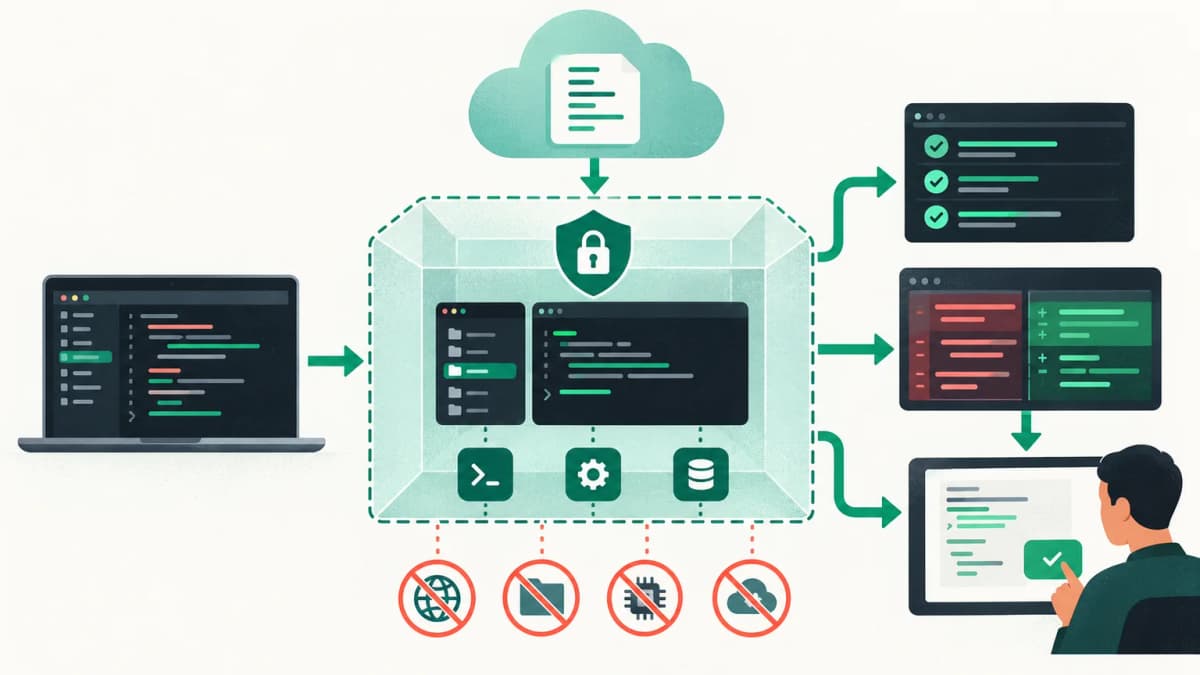
- Cloud tasks: delegate bounded work in an isolated environment and review the result.
- SDK and app-server: embed the Codex harness into scripts, CI, and products.
- Agents API: build durable managed agent sessions with tools and sandboxes.
OpenAI's Codex documentation hub links current guides for the app, IDE, CLI, reviews, automation, and production workflows.
Codex plan usage versus API token billing
| Access method | How usage works | Where to check |
|---|
| Eligible ChatGPT plan | Included allowance or shared credits, varying by plan | Settings, usage dashboard, or /status |
| Codex with your API key | Model input, cached input, output, and tool charges | OpenAI Platform usage and billing |
| Agents API | Selected model rates plus applicable tools and sandbox compute | Platform usage and API response data |
| Enterprise token agreement | USD token billing under workspace controls | Workspace administrator and usage dashboard |
OpenAI notes that Codex task usage depends on the model, execution location, task complexity, context, reasoning level, speed, and tools. A long repository task can consume substantially more than a short request. Current plan limits are account-specific, so a static article should not claim an exact number of tasks. See Using Codex with your ChatGPT plan.
Codex token pricing
API pricing counts input tokens, cached input tokens, and output tokens separately. Built-in tool calls and hosted containers can add charges. OpenAI's current pricing page lists the active Codex models and rates; model-specific pages also show context windows and rate limits.
For a concrete calculation, if a Codex model costs $1.75 per million input tokens, $0.175 per million cached input tokens, and $14 per million output tokens, then a request with 100,000 uncached input tokens and 10,000 output tokens costs about $0.315: $0.175 input plus $0.14 output. Repeated agent turns, tool output, web searches, and container time can increase the full task cost. Check OpenAI API pricing for the current model table.
What uses tokens in a coding-agent task?
- Your goal, follow-up instructions, and previous conversation.
- Repository instructions such as AGENTS.md files.
- Source files and documentation read by the agent.
- Tool names, descriptions, parameters, and returned results.
- Terminal logs, test failures, browser output, and external context.
- Generated code, explanations, summaries, and reasoning tokens.
A model's context window is the maximum context it can process in one request. It is not the amount included in a subscription. Codex can compact previous work to preserve useful state while controlling context growth, but the most reliable saving is a focused task with explicit boundaries.
How to reduce Codex token usage
- Give one concrete objective with acceptance criteria.
- Point to the route, error, component, or test that triggered the task.
- State the exact checks that prove completion.
- Keep project instructions concise and scoped to the relevant directory.
- Start a new thread when switching to an unrelated objective.
- Use cached context where supported and avoid repeatedly pasting the same files.
- Choose the least expensive model that can complete the task reliably.
- Review usage with
/status or the appropriate dashboard before starting another large task.
A strong Codex prompt for repository work
Reproduce the reported pagination bug on the article listing. Inspect before editing. Preserve existing URLs and canonical behavior. Implement the smallest fix, then run the focused test, type checker, and production build. Report the root cause, changed files, command results, and anything that still requires browser verification.